Memory Function 
The value or end result of each completed measurement is automatically saved. The last 10 values (measured values or end results) are saved. If the memory is full, the oldest value will be overwritten. The oldest value is at position 1 in the memory, the newest value at position 10 (for 10 available memory values).
- To open the memory value display, press the button.
- The last value will be displayed.
- Press the
 button or
  button to scroll through the saved values.
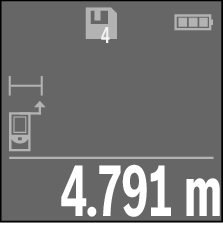
The number of the memory value is shown at the top of the display, and the symbol of the corresponding measuring function is shown on the left. If there is no value available in the memory, "0.000" is shown at the bottom of the display and "0" at the top.
Deleting Memory Values
- To delete the displayed value, press the
 button.
- To delete all values in the memory, press and hold button and briefly press button .