My Tools
is becoming
PRO360
A worker in a yellow safety vest holds a Bosch tool and looks at his phone.

MAKE IT YOUR TOOL – WITH PRO360

ADJUST YOUR TOOL SETTINGS WITH THE PRO360 APP

An easier way to connect your tools

The PRO360 app lets you easily configure your tools via your smartphone to meet your individual needs and saving settings for future use. MyTools features from the Toolbox app will be phased out, with all connectivity features moving to PRO360.

SIMPLIFY YOUR WORKDAY

A craftsman with a hard hat is drilling into wood, shavings are flying around.
MAKE LIFE EASIER FOR YOURSELF

Adjust your tool so that it matches the requirements of your job – quickly and easily. Save your settings for later jobs, so you can access them again and again without any hassle.

A hand operates a smartphone next to a blue Bosch Professional cordless screwdriver.
STAY IN CONTROL

Effortlessly adjust your tool settings and activate or deactivate functions as and when you need them.

A man with a smartphone is looking at a Bosch Professional machine.
STAY UP TO DATE

Quickly gain an overview of your tool's usage data to always ensure optimum performance.

A man uses a smartphone in a room with a toolbox in the background.
WE KEEP IT SIMPLE

Don't waste time on tedious tool settings – with PRO360, you can just simply focus on the task ahead.

Connectivity

A smartphone displays a Bosch Professional angle grinder and settings.
PRO360
  • Download PRO360 on your smartphone. Simply adjust your tools to the requirements of your jobs.
  • PRO360 lets you keep an overview of your inventory and services.
  • Connect to PRO360 and find out how your work can become even smarter.

Close-up of a blue Bosch Professional tool with a switch button.
Plug-in connectivity
  • Purchase a GCY-42 module along with a compatible Bosch Professional power tool to get the most out of your tool.
  • Remove the cover and plug in the module.

A blue Bosch Professional cordless hammer drill on a solid color background.
Built-in connectivity
  • Simply connect PRO360 to our power tools equipped with built-in Bluetooth technology.

Bluetooth logo on blue background with signal waves.
Bluetooth®
  • Our power tools connect via Bluetooth® Low Energy, ensuring that your smartphone and tools are working as efficiently as possible.

CONNECT IN JUST FOUR STEPS
Logo of Bosch Professional PRO 360 in blue and gray on a light background.
1. Download the app

Get the app from the Google Play Store or the App Store, log in and get started straight away.

App download
A blue Bosch Professional cordless screwdriver icon on a white background.
2. Prepare your tool

Remove the module cover with a screwdriver or a coin. Insert the GCY-42 Bluetooth Low Energy module and a coin battery into your tool. Close the compartment again and switch on your tool.

A stylized blue logo with two overlapping arrows.
3. Activate Bluetooth®

Activate Bluetooth® on your smartphone. Your tool and your smartphone must be close to each other in order to connect.*

A stylized smartphone icon in dark color on a light background.
4. Connect to PRO360

PRO360 shows all nearby tools with active Bluetooth. Select your tool and connect it with the plus button.

On Android smartphones, you may need to activate location services in order to connect to your tool. This is due to the Android operating system. The PRO360 app does not track your location.

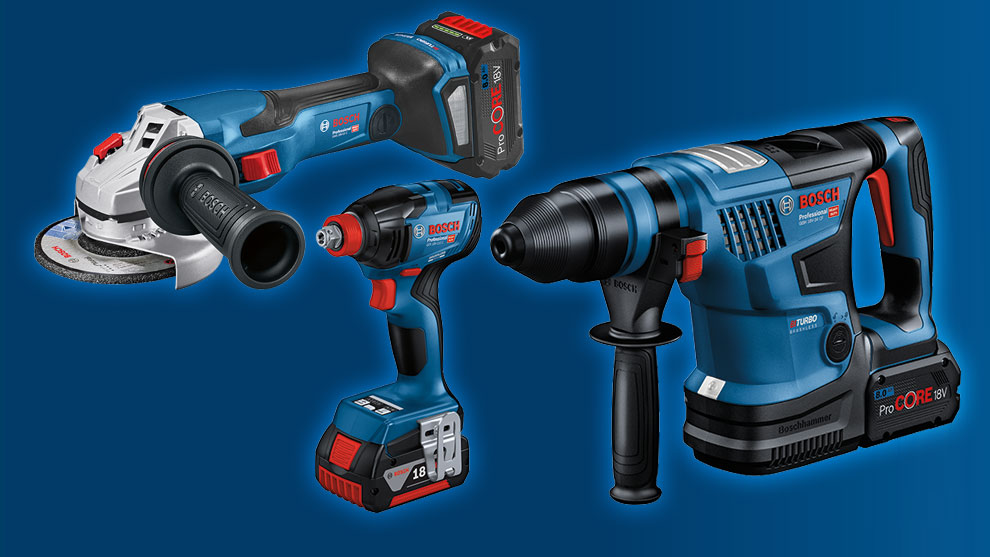
Three Bosch Professional tools on a blue background, battery and drill.
AVAILABLE TOOLS

With connectivity via PRO360 you get different features depending on your power tool.
Get insights into your tool’s usage data and configure the settings on your tool:

  • adjust the speed settings of angle grinders or circular/miter saws,
  • customize the performance, startup speed and KickBack Control behavior for rotary hammers,
  • define screw modes with individual reactions on impact drivers/wrenches for different materials,
  • change the work light and user interface lighting settings to adapt to individual working conditions…

… and many more!

Discover all the connected tools and their functions here
Man holds Bosch Professional rotary hammer and smartphone in the workshop.
MAKE LIFE EASIER FOR YOURSELF WITH PRO360

PRO360 allows for quick tool adjustments. You can also effortlessly manage your inventory and services with PRO360.

Find out more here.
Frequently asked questions